Turn Markdown into a PDF you can send
Cropmark is a free Markdown to PDF converter that prints like a document, not a web page: real page numbers, headings kept with their text, code blocks and table rows never cut in half, and no watermark. Paste from ChatGPT, Claude or your editor, or drop a .md file — nothing leaves your browser until you download.
What prints right
Page numbers and a running header
Every page is numbered “3 / 12” in the footer. The header repeats your document title, or any text you choose.
Nothing cut in half
Headings stay with the text that follows. Code blocks, quotes, diagrams and table rows never split; long tables repeat their header on every page.
Long code lines wrap
A line longer than the page wraps inside its block instead of disappearing at the edge of the paper.
A PDF you can navigate
Bookmarks built from your headings, clickable links, a
[TOC]table of contents, and real text you can select and search.Diagrams and formulas
Mermaid diagrams, LaTeX math and syntax highlighting for 26 languages, in the preview and in the PDF.
A4 or US Letter, to scale
The preview keeps the true width of the sheet, so lines break exactly where they will on paper.
How it works
Paste or open your Markdown
Paste it above, drop a
.mdfile on the editor, or start from a template.Check the page
The preview shows the page at its real width, with your theme and margins. Pick the paper size, a header and a footer: they appear in the PDF, with the page numbers.
Download the PDF
Press Download PDF or Ctrl+S. The file is named after your first heading.
Start from a template
Each preview below is a real render of the template, made by Cropmark itself.
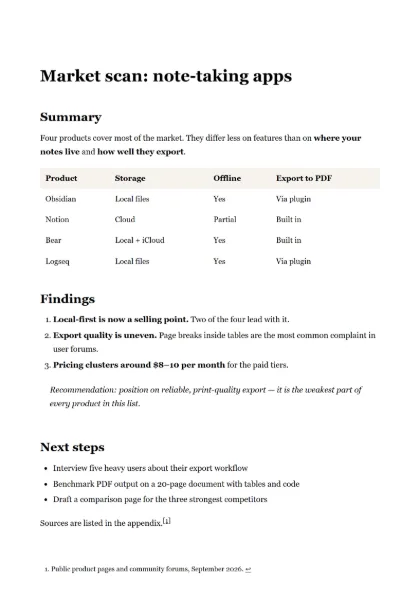 AI reportA ChatGPT or Claude answer with headings, a table and recommendations.
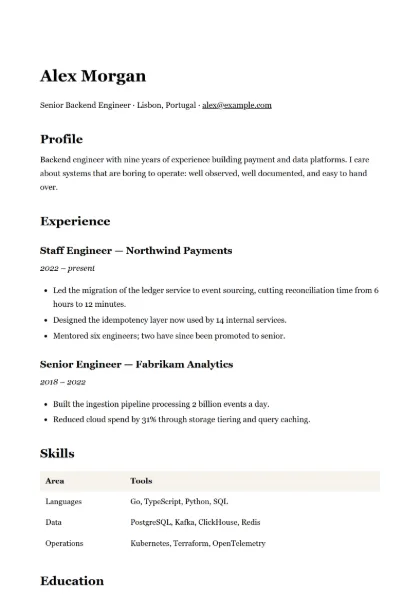 ResumeA one-page technical resume.
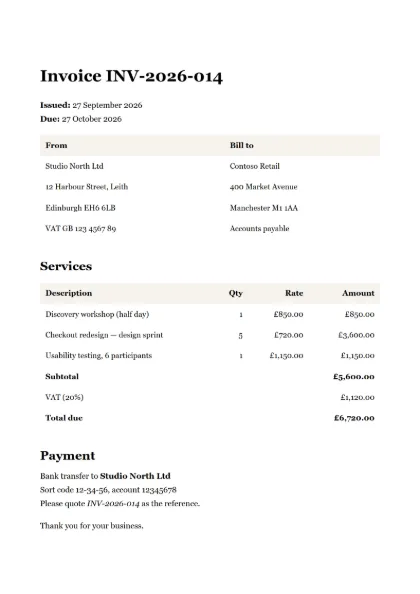 InvoiceLine items, right-aligned amounts and totals.
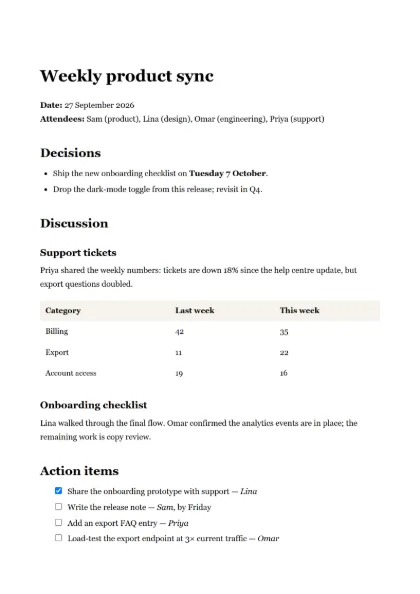 Meeting notesDecisions, discussion and action items with checkboxes.
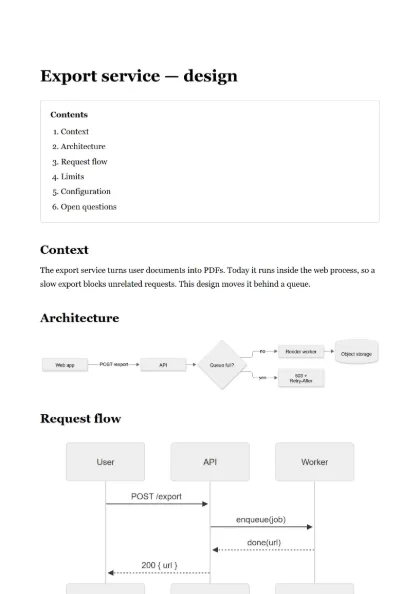 Technical specTable of contents, Mermaid diagrams, tables and code.
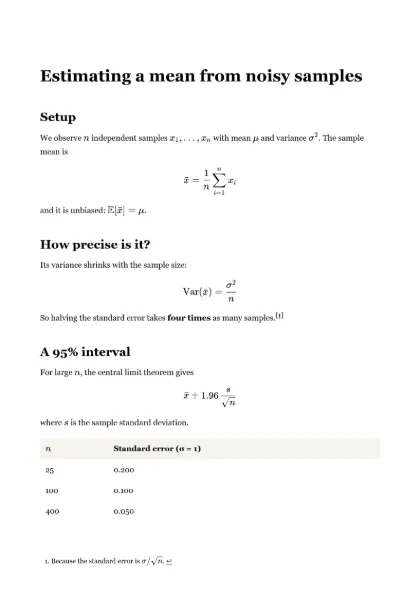 Research noteLaTeX formulas, a table and footnotes.
Private by design
Your text stays in your browser while you write
The preview is rendered on your device. Nothing is sent while you type, paste or change settings.
Downloading sends it once
The PDF is rendered in memory on our server and sent straight back. The document is not stored, not logged and not kept.
No account, no cookies, no tracking
We count page views and exports per day — nothing about who you are. How it works.
Free, with fair-use limits
| Cropmark | |
|---|---|
| Price | Free |
| Watermark | None |
| Account | Not needed |
| Exports | Up to 20 a minute from one address |
| Document size | Up to 2 MB of Markdown |
The limits keep the service fast for everyone. They are enforced per minute, not per month: there is no quota to run out of.
Questions
Is Cropmark free?
Yes: no watermark, no account and no trial. The only limits keep the service fast for everyone — 20 exports a minute from one address and 2 MB of Markdown per document.
Is my document uploaded?
Only when you download the PDF. The preview is rendered in your browser. On export the text is sent once over HTTPS, rendered in memory and discarded — never stored, never logged.
Why not print from the browser?
Browser printing adds the page address and date, splits tables and code blocks in the middle, and gives you no control over page numbers. Cropmark renders with a print setup made for documents.
Can I use A4 or US Letter?
Both. Cropmark starts on Letter where it is the norm — North America and a few other countries — and on A4 everywhere else; switch any time in the toolbar.
Which Markdown does it support?
GitHub-flavored Markdown — tables, task lists, fenced code, footnotes, YAML front matter — plus Mermaid diagrams, LaTeX math and a [TOC] table of contents.
Are the PDFs accessible?
They are tagged PDFs: headings and reading order are exposed to screen readers, and the text is real text you can select, search and copy.
See also
Updated .